In this guide
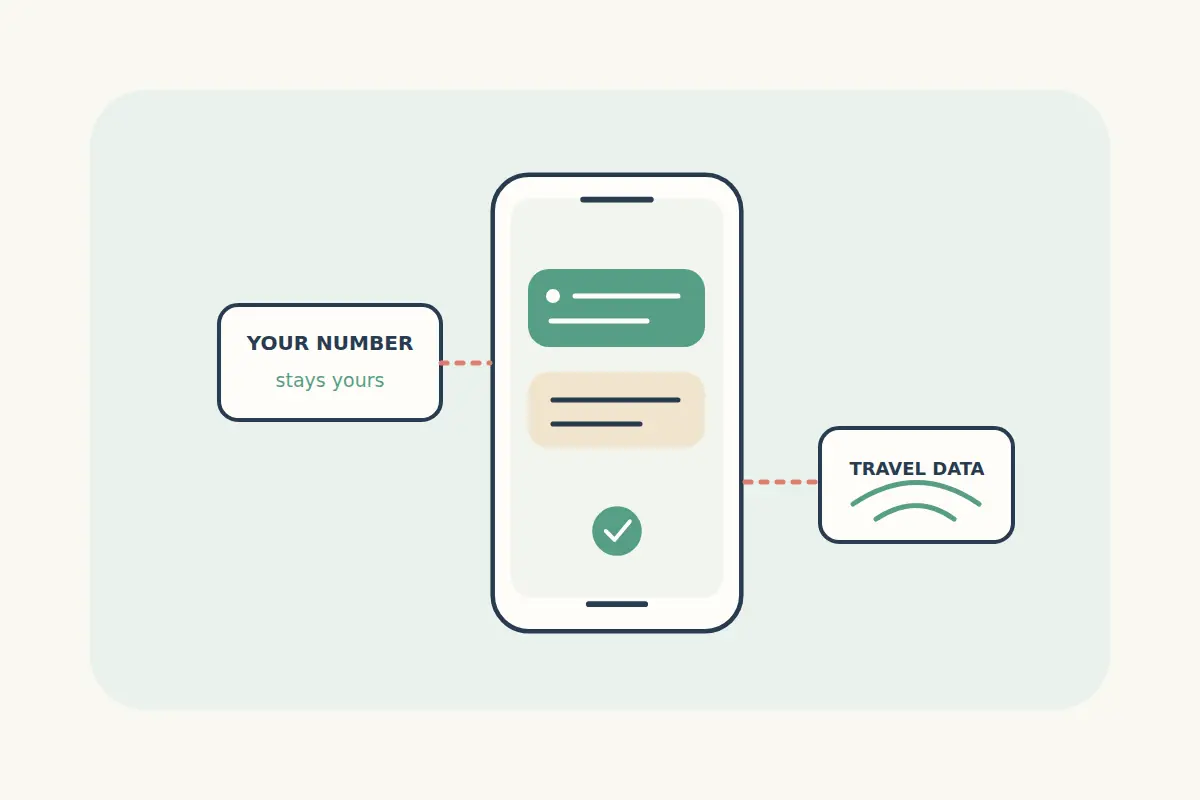
Yes: an already registered WhatsApp account can generally keep its existing number while using a travel eSIM's internet connection. Adding a data line does not mean you need to move the account to a new number. Account verification, ordinary SMS and mobile data remain separate things to plan for.
WhatsApp's roaming guidance confirms that travellers can keep using their home number with a local SIM and explains why re-verification needs attention. Check the current recovery options for your account before leaving.
Separate your account number from the data connection
| Part of the setup | Its role |
|---|---|
| WhatsApp account number | The number registered to the account that your contacts already know. |
| Travel eSIM data | The internet connection used by the app when that line is selected for mobile data. |
| Home mobile line | The line associated with your usual carrier number, calls and SMS, subject to its service and roaming terms. |
| Data-only package | A mobile-data allowance; it does not automatically provide an ordinary phone number or SMS service. |
For example, you might keep the WhatsApp account already registered to your home number while selecting a travel eSIM for data on a week-long trip. Contacts can continue using the existing conversation. That example does not mean the travel package receives SMS sent to your home number.
Prepare the account before you leave
Check that WhatsApp works on your current phone, that the registered number is correct, and that you understand its verification and recovery settings. Make a current backup using the app's supported process if your chats matter to you. Do not change the account number simply because you are adding temporary travel data.
Keep access to the registered number and check any other recovery options offered in your account. Reinstalling the app, replacing a phone or re-registering the account can create a verification step that an ordinary data connection alone will not resolve. Do not cancel a number you intend to keep using without first understanding the consequences for the account.
Installing an eSIM also requires a compatible, suitably unlocked phone. Check your exact model in the compatibility guide before purchasing.
Choose the correct line for mobile data
- Install the travel eSIM according to its package instructions, using a reliable connection.
- Give the travel line a recognisable label so it is easy to distinguish from your home line.
- When appropriate under the package's activation policy, select the travel line for mobile data.
- Review data switching and roaming settings separately for each line.
- Test that WhatsApp and a normal web page can connect through the intended data line.
Device menus and simultaneous-line support vary. Use Apple's travel eSIM guidance for iPhone or Google's dual-SIM instructions for supported Pixel devices. For another Android model, use its manufacturer's current instructions.
A travel plan may instruct you to enable data roaming on its own line. That is separate from enabling roaming on your home line. Avoid automatic data switching if it could use a chargeable home connection when you expect travel data only.
Plan for ordinary calls, SMS and verification
WhatsApp messages sent over data are different from carrier SMS. Similarly, an internet call inside an app is different from a call made through your phone's normal dialler. Check which services the selected eSIM actually includes.
If you leave your home line active to receive ordinary calls or messages, confirm the possible charges with your carrier. Do not assume that incoming calls, message delivery or using voicemail abroad is free. Turning off home-line mobile data does not answer every question about calls and SMS.
For account re-verification, follow WhatsApp's current prompts and guidance for travellers who cannot receive a verification code. Keep codes private. A travel eSIM supplier cannot change which number owns a WhatsApp account.
Check data use and local app availability
Photo downloads, video calls, backups and hotspot use can consume a data allowance quickly. Review media auto-download preferences and use our data-budget guide to plan a suitable amount. If you are comparing countries or regions, our coverage comparison helps narrow the choice.
An internet connection does not guarantee every app feature works in every destination. Network and local service restrictions can affect voice or video calls. Check the destination's official guidance and keep an appropriate way to contact your hotel or airline besides a single app.
WhatsApp and travel eSIM questions
Do I need to tell every contact a new number?
Not merely because you add travel data while keeping the same registered account. If you intentionally change your WhatsApp number, follow the app's separate change-number procedure.
Can a data-only eSIM receive my bank's SMS code?
Do not assume so. An SMS sent to your home number depends on that line and the sender's verification process, not the travel plan's data balance.
What if WhatsApp works on Wi-Fi but not mobile data?
First check whether other apps can use mobile data. Review the selected data line, app permissions, remaining allowance and package instructions. Our eSIM connection troubleshooting guide covers common data-connection checks.
Find a travel eSIM for your destination, and choose a compatible package with enough data and validity for the trip.