
Country
Choose a plan for one destination and review its data, validity, coverage, and activation policy.
Browse eSIMs by countryChange Currency
































Browse travel eSIM plans for 200+ destinations and compare the available data, validity, coverage, and activation details.
Review the selected plan details at every step so the coverage, installation, and activation policy match your trip.
Select local, regional, or global coverage and compare data, validity, supported networks, plan type, and activation policy.
Add the plan to your cart and choose from the cryptocurrency or card payment methods available at checkout.
After purchase, use the QR code or installation link provided with the order and keep the details until the eSIM is working.
Connect to reliable Wi-Fi and follow the device instructions. The selected plan activation policy defines when its validity begins.
Compatibility and plan features vary, so confirm the details for your device and destination before payment.
Confirm that your exact device model supports eSIM and is carrier-unlocked. A compatible model can still be locked by a mobile carrier.
Local plans cover one destination, regional and global plans cover listed destinations, and only plans marked DATA-CALL-SMS include calls, texts, and a phone number.
Supported networks, 4G or 5G availability, and hotspot or tethering support vary by plan, location, device, and network conditions.
Read the activation policy before installation. Validity may begin on first network use, installation, or another event specified in the selected plan.
Do not delete an installed eSIM unless the plan instructions confirm it can be reinstalled. Check your Dashboard for available top-ups; some plans do not support them.
Refund eligibility depends on provider rules and purchase status. If installation, activation, or data fails, keep the profile installed and contact support with your order reference.
Read the essential answers below or visit the Help Center for installation, activation, and troubleshooting guidance.
An eSIM is a digital SIM built into a compatible device. Instead of inserting a physical SIM, you install a mobile plan using a QR code or installation link.
Depending on the device and selected plan, an eSIM can work alongside a physical SIM. Check whether the plan is data only or DATA-CALL-SMS if you need calls, texts, or a phone number.
After purchase, connect to reliable Wi-Fi and use the provided QR code or installation link. Follow the instructions shown by your device.
Before payment, confirm that your exact device is eSIM-compatible and carrier-unlocked on our device compatibility page. Installation, activation, and the start of plan validity depend on the selected plan activation policy.
Visit our eSIM Help Center for guidance on installation, activation, topping up, managing your eSIM, and troubleshooting connection problems.
Most travel eSIM plans provide mobile data only. Plans marked DATA-CALL-SMS include calls, texts, and a phone number; review the exact plan type and coverage before purchasing.
Travel eSIM guides, mobile data tips, and practical installation, activation, and troubleshooting information in our eSIM Blog
Having trouble activating your eSIM or getting mobile data to work? In most cases, this is easy to fix.
If you’ve ever used a physical SIM card (and you definitely have), you already know how simple mobile connectivity can be. But with an eSIM, things get even easier.
 France
 Spain
Spain
 Italy
Italy
 Germany
 Greece
 Aruba
Aruba
 Afghanistan
 Anguilla
 Albania
 Andorra
 United Arab Emirates
 Argentina
 Armenia
 Antigua and Barbuda
 Austria
 Azerbaijan
 Belgium
 Benin
Benin
 Bonaire
 Burkina Faso
 Bangladesh
 Bahrain
 Bahamas
 Bosnia and Herzegovina
 Saint Barthélemy
 Belarus
 Belize
 Bermuda
 Bolivia
 Barbados
 Brunei
 Bhutan
 Botswana
 Central African Republic
 Chile
Chile
 Côte d'Ivoire
 Cameroon
 Democratic Republic of the Congo
 Republic of the Congo
 Colombia
 Cape Verde
 Costa Rica
 Curaçao
 Cayman Islands
 Cyprus
 Dominica
 Dominican Republic
 Algeria
 Ecuador
 Egypt
Egypt
 Estonia
 Ethiopia
 Finland
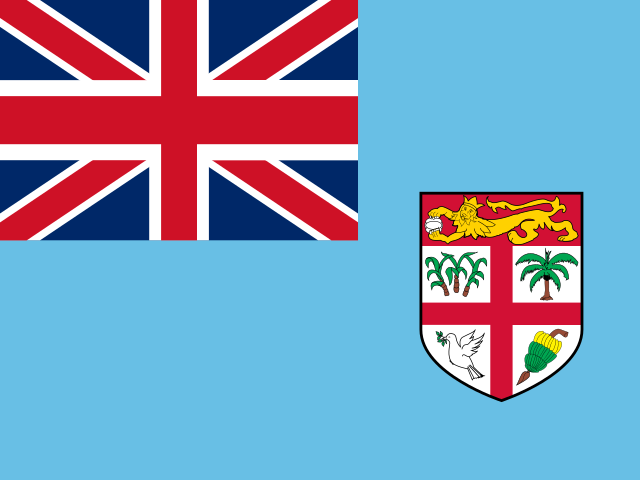 Fiji
Fiji
 Faroe Islands
 Gabon
Gabon
 Georgia
 Ghana
Ghana
 Gibraltar
 Guinea
 Guadeloupe
 Gambia
 Guinea-Bissau
 Grenada
 Greenland
 Guatemala
 French Guiana
 Guam
Guam
 Guyana
 Honduras
 Haiti
Haiti
 Isle of Man
 Ireland
 Iraq
Iraq
 Jamaica
 Jersey
 Jordan
 Kazakhstan
 Kenya
Kenya
 Kyrgyzstan
 Cambodia
 Saint Kitts and Nevis
 Kuwait
 Laos
Laos
 Lebanon
 Liberia
 Saint Lucia
 Liechtenstein
 Sri Lanka
 Lesotho
 Lithuania
 Luxembourg
 Latvia
 Macao
Macao
 Saint Martin (French Part)
 Morocco
 Monaco
 Moldova
 Madagascar
 Maldives
 North Macedonia
 Mali
Mali
 Malta
Malta
 Montenegro
 Mongolia
 Mozambique
 Montserrat
 Martinique
 Mauritius
 Malawi
 Mayotte
 Niger
Niger
 Nigeria
 Nicaragua
 Netherlands
 Nepal
Nepal
 Nauru
Nauru
 Oman
Oman
 Pakistan
 Panama
 Peru
Peru
 Papua New Guinea
 Portugal
 Paraguay
 Palestine, State of
 Qatar
Qatar
 Réunion
 Rwanda
 Saudi Arabia
 Senegal
 Sierra Leone
 El Salvador
 Serbia
 Suriname
 Slovakia
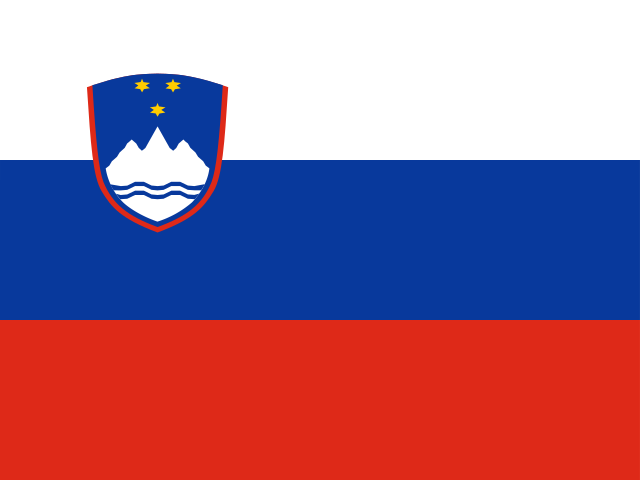 Slovenia
 Eswatini
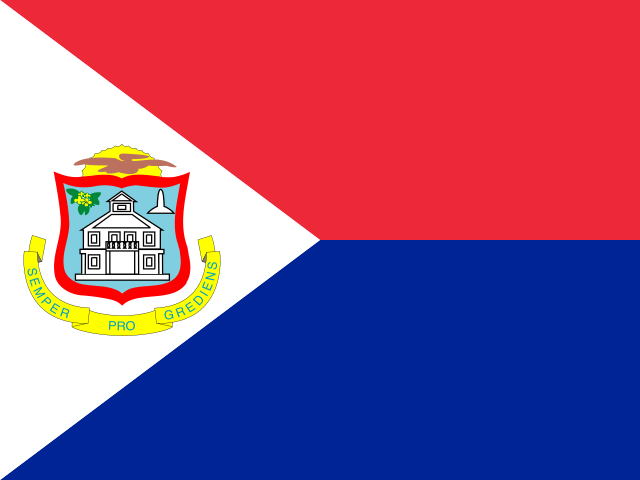 Sint Maarten (Dutch Part)
 Seychelles
 Turks and Caicos Islands
 Chad
Chad
 Togo
Togo
 Tajikistan
 Timor-Leste
 Tonga
Tonga
 Trinidad and Tobago
 Tunisia
 Taiwan
 Tanzania
 Uganda
 Ukraine
 Uruguay
 Uzbekistan
 Vatican City
 Saint Vincent and the Grenadines
 Venezuela
 British Virgin Islands
 Virgin Islands (U.S.)
 Vietnam
 Vanuatu
 Samoa
Samoa
 Zambia
 Zimbabwe
 Marie-Galante
 Kosovo
 Puerto Rico
 Scotland
 Canary Islands
 Madeira
 Azores
 Northern Cyprus
 Saba
Saba
 Sint Eustatius

