In this guide
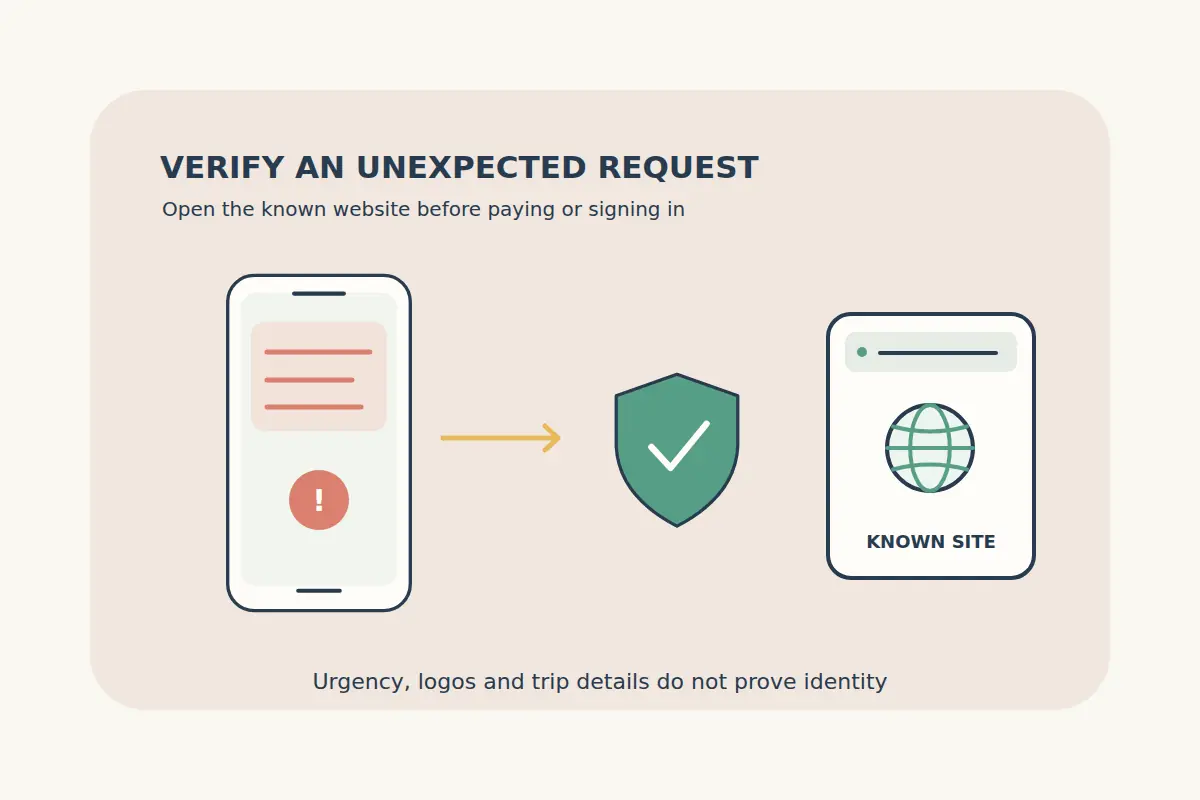
An urgent message says your hotel will cancel unless you pay again. Another offers a flight refund if you scan a code and enter your card details. Treat these as requests to verify, even when the message uses a familiar logo or includes information about your trip.
Open the booking service or airline through a website or app you already know, and check the request there before taking action. A deadline in an unexpected message is not a reason to skip that check.
Recognize common travel-message scenarios
| Message | Question to verify | Safer next step |
|---|---|---|
| Pay again to avoid hotel cancellation | Does your actual booking show an unpaid amount or legitimate local charge? | Open the order and contact the known booking service. |
| Claim a flight refund using this link | Is there a real change and an established refund process? | Check the airline or original booking channel directly. |
| Scan a code to verify your card | Where does it lead, and why is verification requested? | Confirm independently before scanning or entering details. |
| Send money to a replacement wallet | Does the current verified invoice authorize that payment? | Stop and resolve the discrepancy through official support. |
| Share a login code to receive help | Why would someone need your authentication secret? | Keep the code private and use the service's own login process. |
These are examples of warning situations, not a list that can prove every other request is genuine. A polished design, a recognizable sender name or correct trip dates are not sufficient authentication.
Verify the request without using its contact details
Close the message and open the service using your existing bookmark, installed app or the address you normally use. Find the booking there. Contact the business through that known site rather than the message's reply address, phone number or payment button.
The FTC's travel website scam guidance describes lookalike travel offers and advises independent checks rather than following unexpected links. Research the business before a new purchase, and be cautious about pressure to use difficult-to-recover payment methods.
For a CryptoTraveler order, open our contact page directly if the payment or booking status is unclear. Provide the booking reference and a description of the request through the appropriate support channel. Do not include a wallet recovery phrase or account password.
Check what the URL actually identifies
Read the full website address, not just a logo or a brand word somewhere inside it. A misspelling, extra word or unrelated domain deserves further checking. A padlock or HTTPS connection alone does not establish that the site belongs to the expected business.
Do not install remote-access software or an unexpected app because a supposed travel agent says it is needed for a refund. If you cannot establish why a request is necessary, stop and confirm it through the known service.
Save the suspicious message and address for reporting. Avoid posting screenshots containing PNRs, passport details, boarding-pass codes or payment information while asking others for advice.
Treat a QR code according to what it does
A QR code can contain a website address, payment details or another instruction. The image itself does not authenticate the destination. Inspect what your device proposes to open and verify the source before proceeding.
The FTC's QR-code warning describes substituted and unexpected codes that lead to spoofed sites. Use a known contact channel when a code arrives with a demand for immediate action.
Keep the purpose clear: an eSIM installation code is not an ordinary public destination link, and a wallet payment code is not evidence that a booking is confirmed. Protect installation details and follow the eSIM setup guide supplied for your purchase.
Verify crypto invoices and never disclose wallet secrets
For crypto travel payments, obtain the current invoice from the verified checkout. Review the asset, network, destination, amount and expiry shown there. Do not substitute an address from a chat message merely because the sender claims the checkout is being repaired.
Keep recovery phrases, private keys and authentication codes private. A support conversation should not become a request to expose control of your wallet. Do not make a second payment simply because a stranger says the first transfer was not enough to release a booking or refund.
Our payment sent but booking not confirmed guide explains how to distinguish the transfer, invoice and reservation records. The refund guide covers the legitimate booking questions to resolve.
Act promptly if you entered details or paid
If you shared a password, change it using the real service and review account security, including reused passwords elsewhere. If you shared card details or authorized a suspicious payment, contact the bank or payment provider through its known channel promptly.
Keep the message, transaction references, dates and screenshots without spreading the sensitive information. Follow the provider's fraud process and report to the relevant authority in your country. Recovery is not guaranteed; be wary of anyone demanding another payment to recover lost funds.
The FTC's phishing guide provides response and reporting steps. For a separate genuine flight problem, use the disruption action plan through the actual airline or booking service.
Travel scam questions
Is a message genuine if it knows my travel dates?
That detail alone is not enough. Verify the request independently through the actual booking service.
Does HTTPS prove a payment page is legitimate?
No. Check the site identity and the request as well as the connection.
Should I scan a QR code to avoid an urgent cancellation?
First establish whether the demand is genuine through a known channel. Do not let the deadline replace verification.
Can support need my wallet recovery phrase?
Keep it private. Do not share a recovery phrase or private key to obtain booking help or a refund.