Not sure how much data to buy? Estimate your trip with our eSIM data calculator.
In this guide
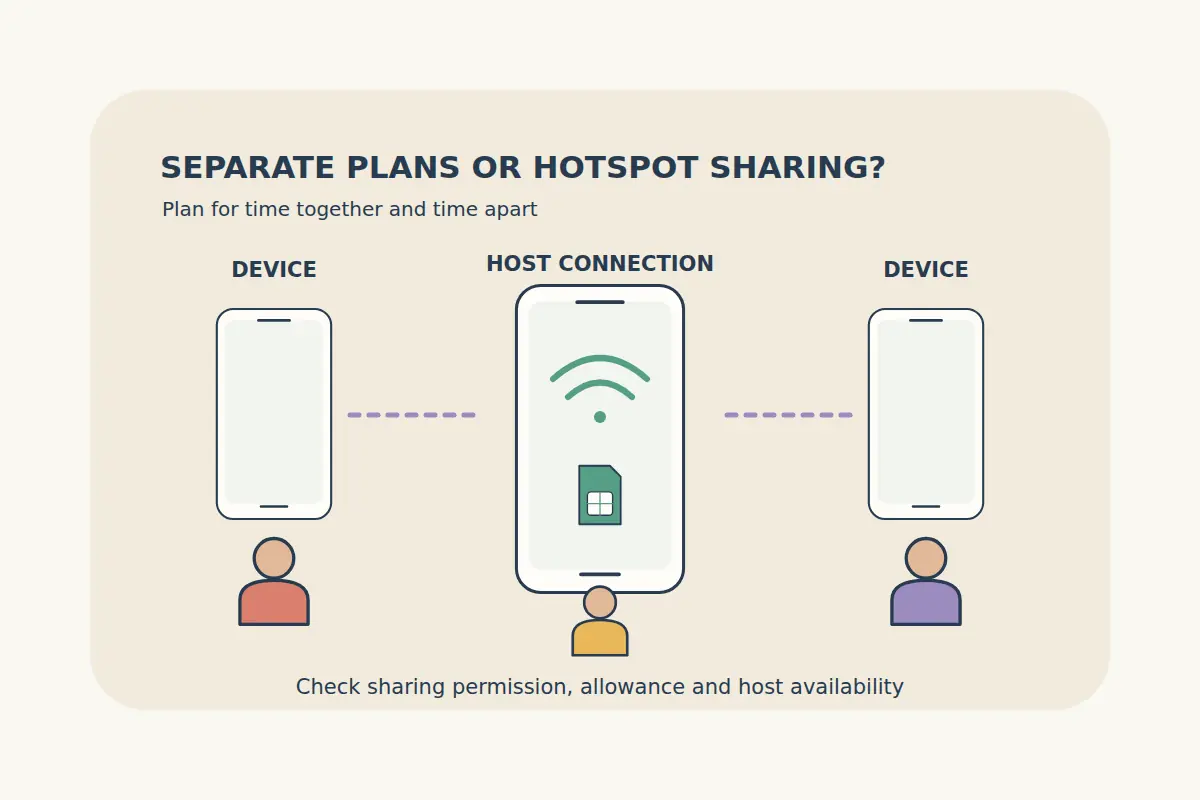
One shared connection can suit travelers who stay together, while separate plans can make it easier to move independently. The better arrangement depends on the people, devices and selected package, not simply the largest advertised data allowance.
Compare what each person needs during the trip: maps, messages, ordinary calls, work access and the ability to reconnect after splitting up. Then check whether hotspot sharing is permitted and practical for the plan you intend to buy.
Start with how the group will actually travel
| Arrangement | Can suit | Main check |
|---|---|---|
| Separate eSIM plans | Travelers who need independent mobile access. | Each device's compatibility, coverage and usable allowance. |
| One plan with hotspot sharing | A group whose devices remain together when data is needed. | Tethering permission, host battery and the shared data budget. |
| Mixed arrangement | People who travel separately while other devices share occasionally. | Who has independent access and what happens when the host leaves. |
Planning example: two adults expect to visit different places during the day, while a child's tablet is used mainly when everyone is together. Two independent phone plans plus occasional permitted sharing may fit better than one connection for the entire group. This is a scenario to assess, not a universal recommendation or a quoted package.
Check every device before choosing separate plans
Confirm eSIM compatibility, carrier unlocking and active-profile support for each phone or tablet. One family member's compatible phone does not establish that another device, model variant or tablet can use the same kind of plan.
Use the compatibility information and the device manufacturer's instructions. For each traveler, check whether they need data only or actual calls and SMS. App messaging over data is a different service from a normal mobile number.
Do not assume one installation profile or QR code is intended for simultaneous installation on all the group's devices. Follow the selected product's device and installation rules. Keep each purchased plan associated with the person and device that will use it.
Verify hotspot permission before relying on sharing
A phone having a hotspot setting does not establish that the selected plan permits tethering under the conditions you need. Check the package's hotspot permission, any relevant restrictions and the device's capabilities before purchase.
Apple's Personal Hotspot instructions describe connecting devices to an iPhone or iPad connection. Google's Pixel hotspot guide explains sharing options and carrier-related considerations. Follow the instructions for the actual host device.
Read the unlimited eSIM guide before assuming an unlimited label also means unrestricted hotspot use or the same speed for every connected device.
Budget the combined data use
When devices share one plan, their use draws on that connection's allowance under its conditions. Compare the combined needs rather than estimating only what the host phone itself will use.
Video calls, large downloads, photo backups and laptop activity can change the budget. Check automatic background activity on connected devices and download suitable maps or entertainment beforehand where practical.
Our travel data guide helps structure that estimate. If more allowance might be needed later, check actual top-up availability instead of assuming every plan can be extended.
Plan for separation and the host's battery
A shared connection depends on the host being available, powered and within a usable connection range. If one person takes that phone elsewhere, the other devices should not be assumed to retain independent mobile access.
Decide how the group will meet or communicate when it separates. Keep important addresses and meeting details offline, and consider which travelers need their own connection for maps, messages or transport arrangements.
Sharing adds an operational task for the host: keeping the phone charged, the correct data line selected and the hotspot available under the device's settings. A spare battery can help with power planning, but it does not change coverage, plan limits or the need for compatible devices.
Keep installation, home lines and package details organized
Compare travel eSIM packages by the actual country list, validity, activation rules and features. Two independent travelers may need different allowances or trip periods; buying identical packages is not automatically required.
Label each line and keep setup instructions available to the person using it. Our dual-SIM guide explains data-line choices and home-number settings. Check the selected plan's activation trigger before testing it early.
Use a private hotspot password and share it only with the intended devices. If you need more data during the trip, read the top-up comparison guide before purchasing another package. Keep each profile and order clearly identifiable when asking for support.
Family and couple eSIM questions
Is one large plan always cheaper than several smaller ones?
No. Compare actual prices and conditions alongside coverage, combined use and the need for independent access.
Can everyone use data when the hotspot phone leaves?
Do not rely on that shared connection after separation. Travelers who need independent access should plan an appropriate connection of their own.
Does an unlimited plan automatically allow hotspot sharing?
No. Read the selected package's tethering and fair-use conditions.
Can I install the same eSIM on every family phone?
Follow the product's installation and device rules. Do not assume one profile is a multi-device family subscription.